

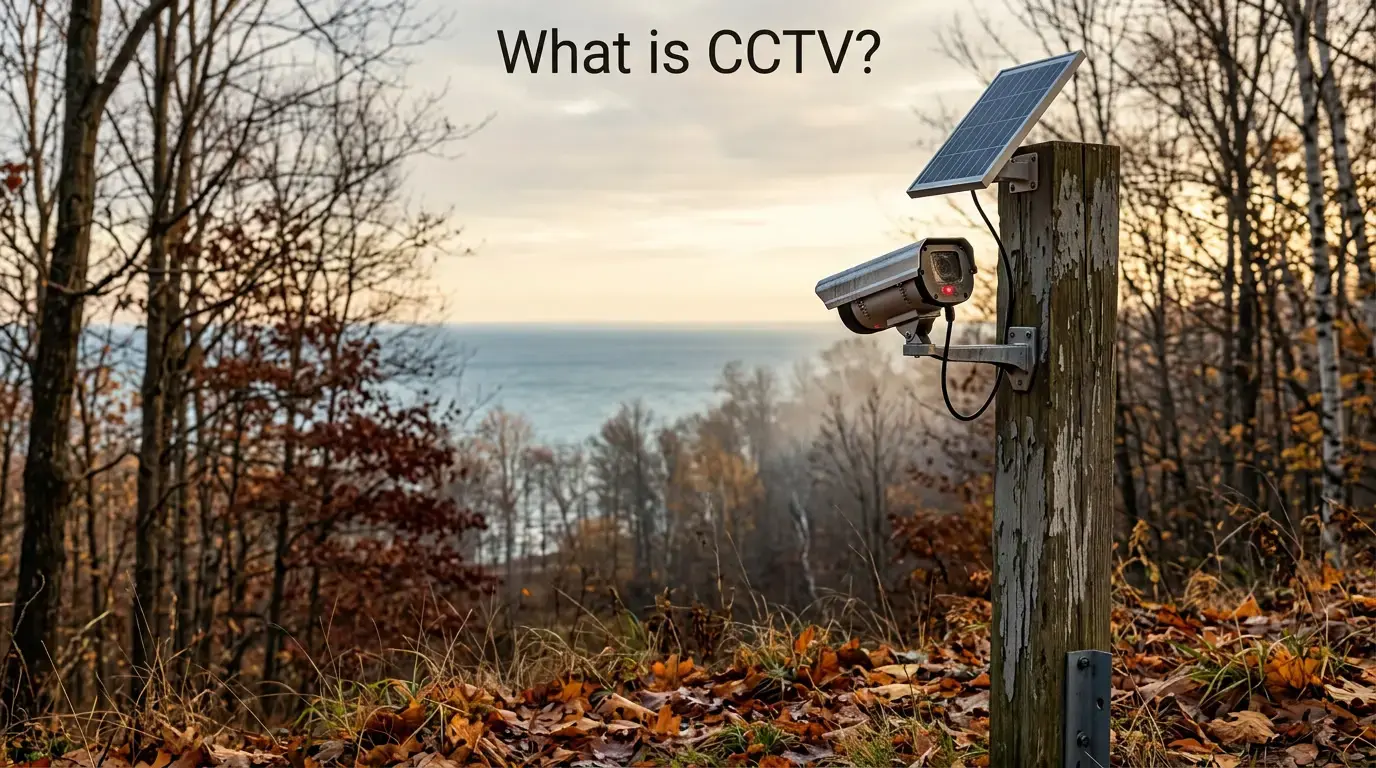
Field-Tested Across Northern Michigan — What Every Property Owner Actually Needs to Know About CCTV Today
OTL FIELD GUIDE Definition · 5 Types · CCTV vs. IP · Storage · Legal · Tested Picks | May 2026
⚡ TL;DR — What Is CCTV? The 60-Second Version
CCTV stands for Closed-Circuit Television — a surveillance system that transmits video to a closed, authorized loop of monitors or recorders rather than broadcasting openly. The “closed” part is what makes it a security tool rather than a media channel.
In 2026, CCTV covers five camera form factors and two technology generations: analog (coaxial to DVR) and IP (ethernet, WiFi, or 4G LTE cellular to NVR or cloud). For any new outdoor installation, IP is the correct generation. For remote properties with no WiFi and no power grid, solar cellular (4G LTE) is the complete answer.
Three field-tested outdoor picks — solar cellular, wired PoE, and WiFi solar — all with verified Amazon listings — are at the bottom of this guide.
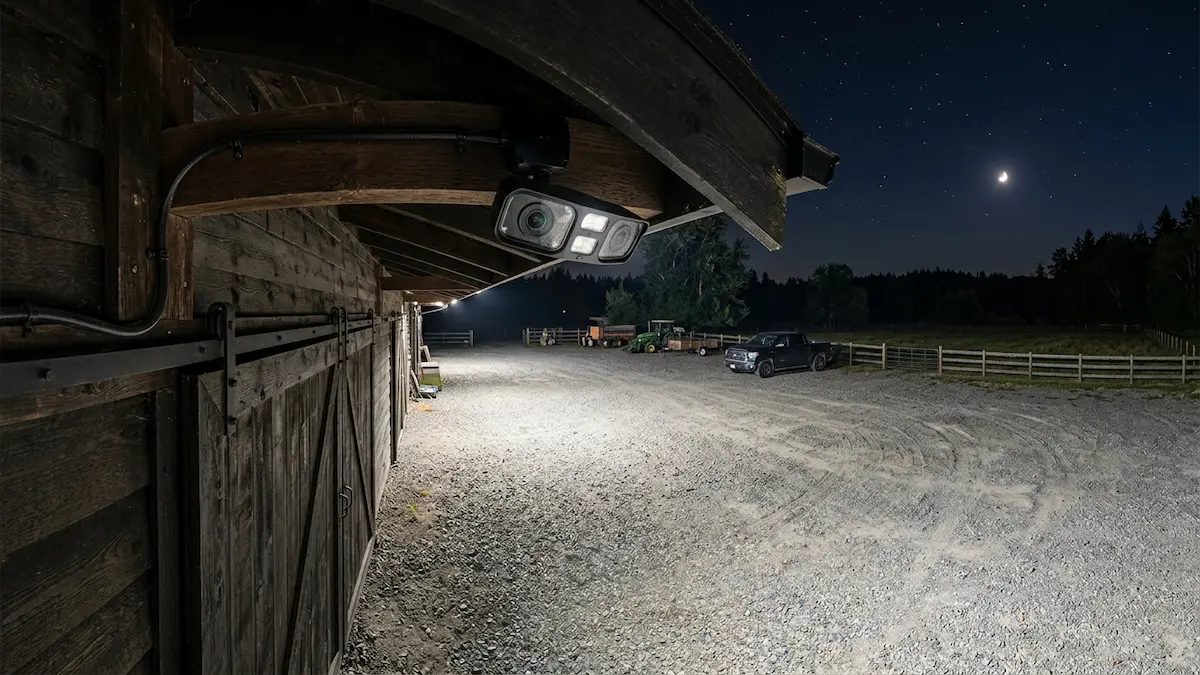
📹 CCTV Tips: Why Camera Placement Matters — Outdoor Tech Lab field notes from Northern Michigan
01 — What Is CCTV? Definition and Full Form
CCTV stands for Closed-Circuit Television. The term describes any surveillance system in which video signals travel through a controlled, closed loop — from camera to recorder or monitor — rather than being broadcast openly to any receiver.
That distinction matters. A broadcast signal goes outward to any tuned receiver. A CCTV signal travels only to the devices it is configured to reach — your DVR, your NVR, your authorized app. Nothing outside that circuit receives it.
In modern usage, “CCTV” covers all property surveillance cameras — including wireless and cellular systems transmitting over IP networks. The name is historical. The technology has changed considerably.
I’ve deployed outdoor security cameras across rural Northern Michigan for over two decades. Properties bordering Manistee National Forest. The Pere Marquette River corridor. Remote Lake Michigan shoreline access points where the nearest power outlet is a half-mile walk.
What I’ve learned: most people searching “CCTV” aren’t looking for a history lesson. They own a rural property, a hunting lease, or a remote cabin — and every big-box system assumes WiFi within 100 feet and an outlet within arm’s reach. This guide covers what actually works.
The first CCTV system was installed in 1942 by Siemens AG to monitor V-2 rocket launches. Commercial deployment reached the US in the late 1960s. The modern consumer outdoor surveillance market grew from those roots.
Siemens AG, Germany
factors in 2026
resolution standard
connectivity tier
02 — How CCTV Systems Work: From Light to Footage
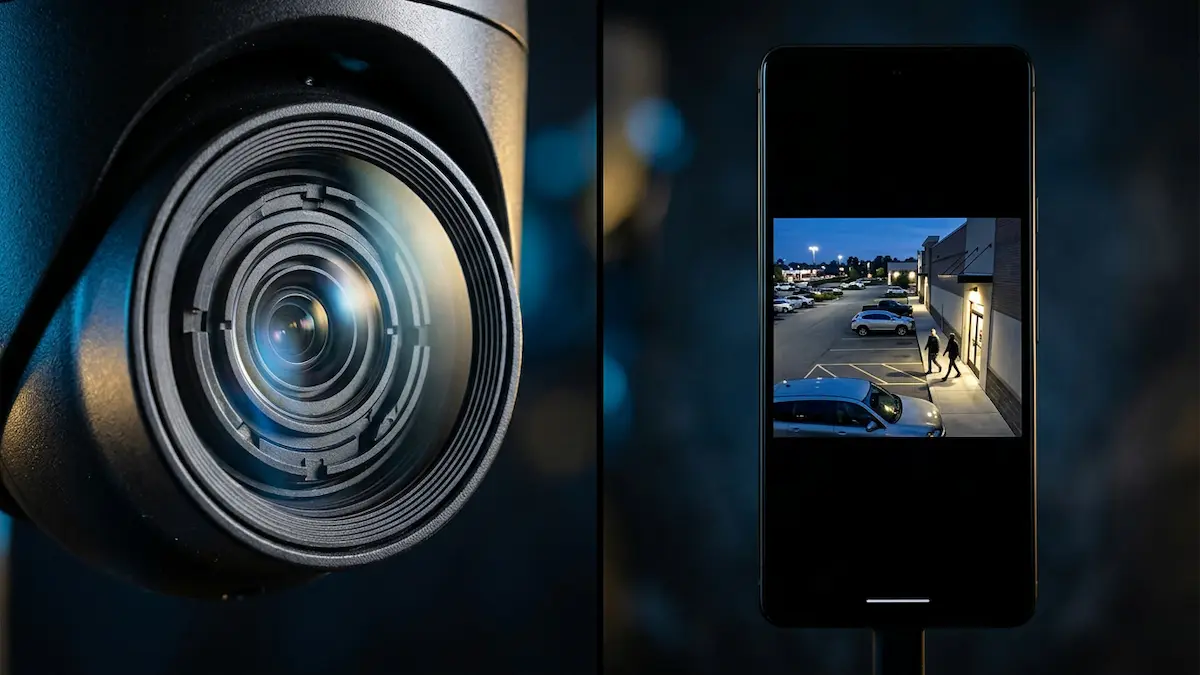
Understanding how a CCTV camera captures footage clarifies why modern IP systems outperform analog — and why sensor size and transmission method matter more than marketing language.
Stage 1 — Light capture. Light enters through the lens and strikes the CMOS image sensor. Millions of photodiodes convert photons into electrical charges. A Bayer filter separates red, green, and blue wavelengths so the processor can reconstruct full color. Larger sensors gather more light — which is why low-light performance correlates with sensor size, not just resolution.
Stage 2 — Encoding. Raw image data is compressed using a codec — most current IP cameras use H.265 (HEVC), which delivers roughly half the file size of older H.264 at equivalent quality. Smaller files mean lower storage costs and less data plan consumption on cellular cameras.
Stage 3 — Transmission. The compressed stream travels via coaxial cable (analog), ethernet/PoE (wired IP), or wireless — WiFi or 4G LTE cellular. Cellular is the only path that works without any existing network infrastructure at the site.
Stage 4 — Storage and access. Footage lands on a DVR, NVR, local SD card, or cloud server. PIR (Passive Infrared) motion sensors trigger recording on solar cameras — keeping the cellular radio off between events and extending battery life through Northern Michigan winters.
03 — The 5 Main Types of CCTV Cameras
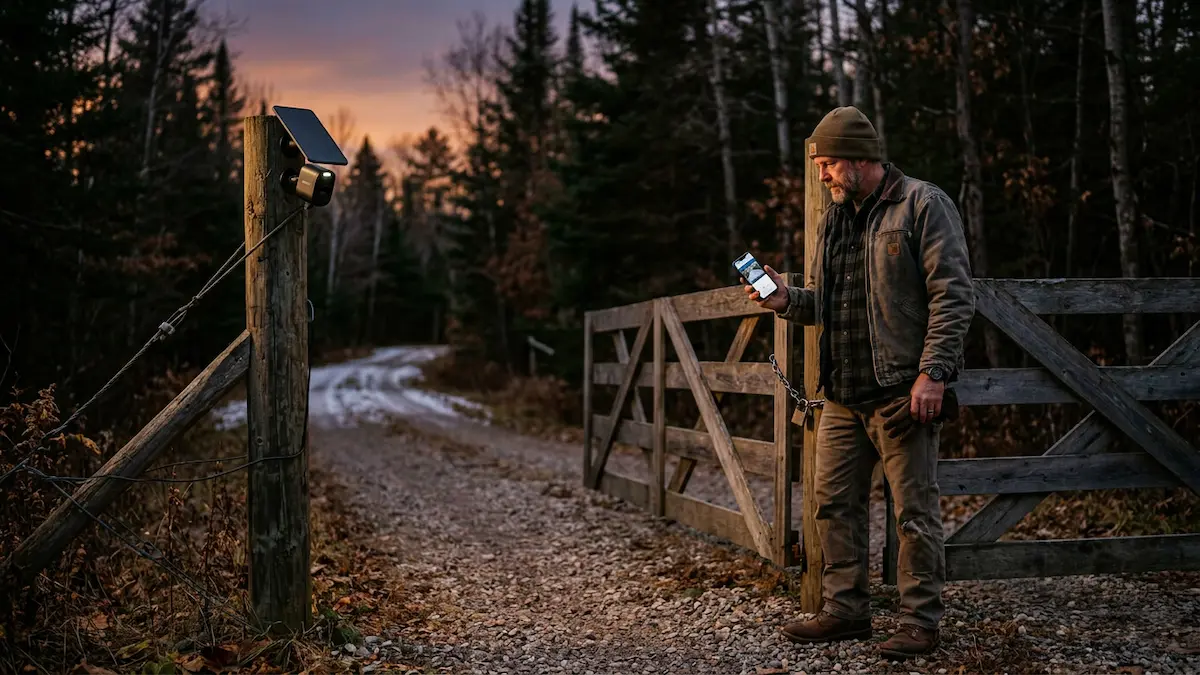
Camera form factor determines field of view, installation method, deterrence profile, and suitability for specific deployment environments. These are the five categories you will encounter in any serious CCTV decision.
🔴 Bullet Camera Best Outdoor
The most recognizable CCTV form factor. Long cylindrical housing with lenses optimized for distance — narrow field of view (80°–100°) with strong zoom performance.
Immediately identifiable as a security device. High visible deterrence.
Best for: driveways, fence lines, entry points, and long-range outdoor surveillance.
⚫ Dome Camera Indoor / Outdoor
Hemispherical housing mounts flush to a ceiling or soffit. Hard for a subject to tell exactly where the lens is pointing — a real advantage in retail and commercial settings.
Most commercial models are IK10-rated for impact resistance. Wide-angle lenses (100°–130°) cover a broad area from one mount.
Best for: porches, barns, sheds, and covered entryways. Less suited for long-range detection.
🔵 PTZ Camera (Pan-Tilt-Zoom) Indoor / Outdoor
PTZ cameras move. Pan horizontally, tilt vertically, zoom optically — one camera covers the footprint of several fixed units.
Modern PTZ adds auto-tracking: detects motion and follows the subject automatically. Optical zoom (10×–30×) holds image quality at distance.
Best for: large properties, parking lots, and farms. Higher cost and mechanical complexity than fixed cameras.
🟡 Turret Camera (Eyeball Camera) Indoor / Outdoor
Ball-and-socket mount lets you reposition the camera within its base after installation — no tools, no new mount.
Compact and low-profile with a wide field of view. Lens is clearly visible, which many installers prefer for deterrence.
Best for: corners, eaves, and anywhere fine angle adjustment after install matters. The default mid-range IP form factor in 2026.
⚙️ C-Mount Camera Commercial / Industrial
Accepts interchangeable lenses via standardized C-mount thread — the same mount used in professional cinema and scientific imaging.
Swap lenses for wide-angle indoor coverage, long-range outdoor monitoring, or thermal and low-light applications as needed.
Best for: commercial facilities and industrial monitoring where no single fixed lens covers all needs. Requires more installation expertise.
04 — CCTV vs. IP Cameras: Which Should You Choose?
“CCTV” traditionally refers to analog systems. “IP camera” refers to digital cameras transmitting data over a network. Both terms are used interchangeably in retail contexts — but the underlying technology is genuinely different, and the choice carries real consequences for image quality, installation, scalability, and cost.
ANALOG vs. IP — WHERE EACH GENERATION WINS
Analog CCTV strengths: Lower upfront cost using existing coaxial infrastructure. No router or network dependency. Resistant to electromagnetic interference. For legacy commercial installations already wired for coaxial, maintaining an analog system is often more economical than rewiring.
IP camera strengths: Superior in every category that matters for new installations. Resolution scales past 4K. AI detection runs on the camera or in the cloud. Remote live view via smartphone app. PoE cameras run power and data over a single ethernet cable. Cellular variants need no local network at all.
The field verdict: Analog is not a practical choice for new rural or remote deployments. Coaxial cable runs across large acreage are impractical. DVR recorders need stable power on-site. IP cellular is the right generation for Northern Michigan outdoor monitoring in 2026.
Power over Ethernet (PoE) — The Wired IP Advantage
A single Cat5e or Cat6 cable carries both power (up to 25.5W on PoE+) and data. No separate power run needed.
PoE systems record continuously to an NVR at full resolution — the standard for permanent commercial and residential installs. Does not work at sites without existing network infrastructure.
05 — Key Features to Look for in 2026
The feature set of a 2026 outdoor CCTV camera is materially different from what was available five years ago. Five developments have changed what a functional outdoor surveillance system looks like. If you are already past the basics and want a curated shortlist, our ranked outdoor security camera guide covers the top performers across all categories tested in the field.
📺 4K Resolution — The New Baseline
4K is 3840×2160 pixels — four times the detail of 1080p.
The real benefit: crop headroom. A 4K frame at 80 feet still holds facial and license plate detail after digital zoom. Minimum spec worth buying for any new outdoor deployment in 2026.
🤖 AI Detection — Person, Vehicle, Animal
On-camera AI analyzes motion before sending any alert. It tells the difference between a person at the gate and a deer crossing the frame.
This is what stops notification fatigue — the reason most people mute their cameras after week two. Verify AI runs on-device, not locked behind a subscription tier.
🔊 Two-Way Audio
Built-in mic and speaker let you talk through the camera — greet a delivery driver, challenge an intruder, or confirm a family member arrived safely.
Standard on most wireless cameras now. Important: Michigan is an all-party consent state. Confirm legal requirements before enabling audio recording on your property.
🚨 Active Deterrence — Strobe + Siren
Fastest-growing CCTV feature in 2026. Instead of just recording a trespass, active deterrence fires a visible strobe and loud siren on motion trigger.
For remote Northern Michigan properties where law enforcement response takes hours — this turns a recording device into a real deterrent.
🌙 Night Vision — Infrared vs. Color
IR uses invisible infrared LEDs — produces black-and-white footage. Color uses a spotlight LED or starlight sensor to capture color in low light.
Color is better for identification — you can see a jacket color, vehicle color, or species. IR is better when the camera must stay covert. Know your use case first.
06 — Storage Solutions: DVR, NVR, and the Cloud
How footage is stored determines retention window, remote access, long-term cost, and whether it survives if the camera is stolen or damaged. The three architectures solve different requirements.
DVR
(Digital Video Recorder)
For analog CCTV systems. Cameras connect via coaxial cable. Records to internal hard drive. No network required. Local access only unless a separate network adapter is added. No AI features or remote app access without additional hardware.
NVR
(Network Video Recorder)
For IP camera systems. Cameras connect via PoE ethernet or WiFi. Records to internal hard drive. Supports 4K, AI event filtering, and remote smartphone access via app. No ongoing subscription required. The right recorder for permanent wired IP installations.
Cloud Storage
Footage transmits to remote servers; accessible via app from anywhere. No on-site recorder needed. Subscription costs accumulate: a two-camera setup at $10/month reaches $600 over five years in fees alone. Most 2026 cameras offer SD card + optional cloud hybrid to eliminate mandatory subscriptions.
The 5-year cost reality: A $10/month cloud subscription costs $600 over five years — before hardware.
A camera with local SD storage costs the price of the card. Our solar security cameras with no subscription fees — tested and ranked covers the strongest no-subscription options tested in the field.
For remote deployments, local SD recording is critical. If cellular drops during an event, the camera must still record to the card. Confirm this before buying any off-grid camera.
Running CCTV on Solar Power
Solar CCTV cameras run on a rechargeable battery topped up by a panel. Performance depends on wattage, battery capacity, and daily sun hours at your specific site.
Northern Michigan winters hit hard — shorter days, low sun angle, snow on panels. Our solar panel sizing guide for remote camera deployments covers year-round power management.
07 — Legal and Privacy Considerations for CCTV in 2026
CCTV on private property is generally lawful in the US. But where cameras can point, whether audio can be recorded, and how footage must be handled vary by state and property type.
This is not legal advice — confirm requirements with a licensed attorney for your situation.
⚠️ Key Legal Considerations — Private Property CCTV
• Your property: Cameras on your own land, driveways, gates, and structures are generally permitted in most US jurisdictions.
• Public-facing areas: Capturing a public road from private property is generally fine in Michigan. Intentional surveillance of a neighbor’s private space may not be.
• Audio — Michigan: Michigan is an all-party consent state (MCL 750.539). Recording private conversations without consent is a felony. Consult an attorney before enabling two-way audio.
• Federal land: Cameras on Manistee National Forest land require confirmation with the Huron-Manistee Ranger District — supplemental orders update seasonally.
• Signage: Posting visible CCTV notice is best practice everywhere. It satisfies notice requirements in many jurisdictions and acts as a deterrent on its own.
OTL Field Picks: Three Categories, Three Correct Answers
After two-plus decades deploying cameras on rural Northern Michigan properties — where the nearest PoE switch might be a mile away and cell coverage drops around the next ridge — the honest answer to “which CCTV system is best” is always the same.
It depends entirely on what infrastructure you have at the site. These three picks cover the three situations that actually come up in the field.
Quick read: Solar WiFi pan-tilt camera → Pick 1 (Reolink Go PT Plus). Wired PoE permanent install → Pick 2 (Reolink Duo 3 PoE). Best value WiFi solar with zero subscription → Pick 3 (eufy C37).
Reolink Go PT Plus + Solar Panel + 32GB SD Card Best Value
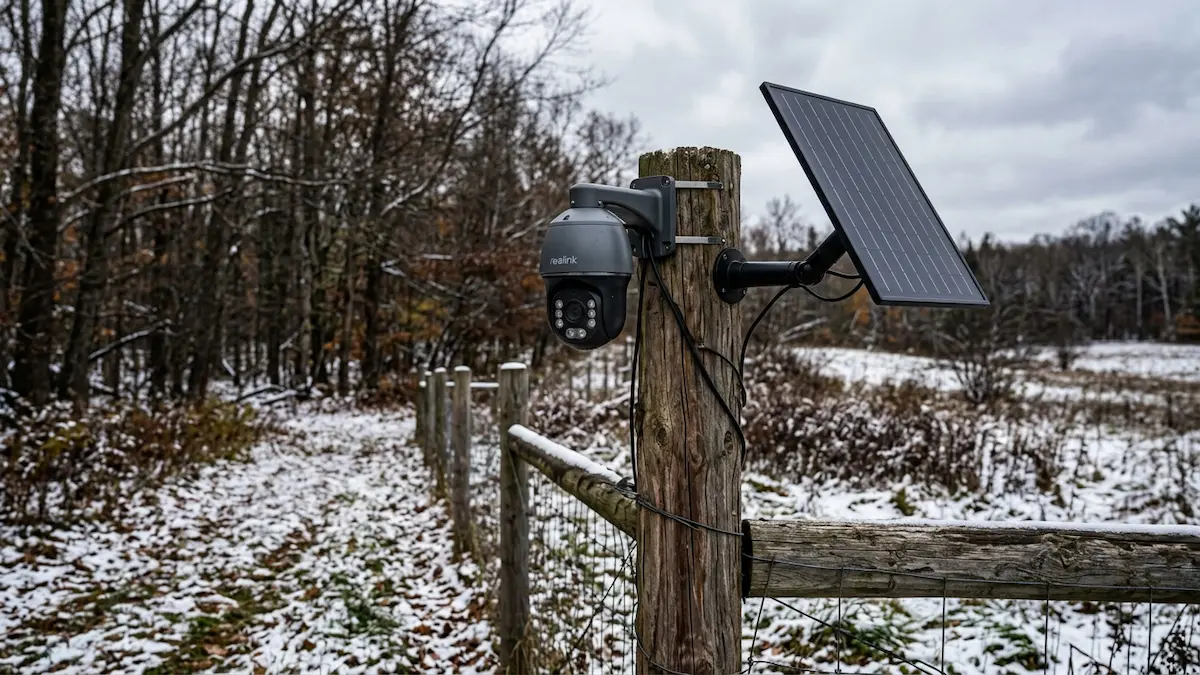
No WiFi. No wires. No mandatory subscription. Everything included in the box. The Reolink Go PT Plus bundled with a solar panel, 32GB SD card, and SIM card is the most complete off-grid outdoor CCTV package at this price tier — and the one I would deploy first at a remote Northern Michigan property gate.
The 355° pan and 140° tilt deliver remotely controlled full-property coverage from a single mount point. Pull up the Reolink app and reposition the camera from the truck before walking in. That remote repositioning capability — without a property visit — is what separates a pan-tilt CCTV system from a fixed-angle camera on any deployment where angle adjustments after installation are inevitable.
• Resolution: 5MP (2K+) — color day and night detail
• Connectivity: 4G LTE — no WiFi, no wired network required
• Pan / Tilt: 355° horizontal + 140° vertical — remote control via Reolink app
• Power: Solar panel included — rechargeable battery with continuous solar top-up
• Storage: 32GB microSD card included — local recording without cellular dependency; expandable to 128GB
• SIM Card: Included — activate via Reolink app; T-Mobile or AT&T prepaid data plan required (sold separately)
• AI Detection: Person, vehicle, pet — on-device analysis reduces false alerts
• Night Vision: Color night vision via spotlight
• Weatherproofing: IP64 — rated for rain, snow, and outdoor temperature extremes
• Two-Way Audio: Built-in microphone and speaker
• Cloud Storage: Optional — 7-day free Reolink Cloud; local SD recording requires no subscription
The local SD recording operating independently of cellular connectivity is the spec that matters most for off-grid deployment. If the cellular signal drops during an event, the camera records to the card regardless. You retrieve the footage on your next property visit. That redundancy is not universal across the solar cellular CCTV category — it is worth confirming before purchasing any camera in this tier. Our solar CCTV camera guide for remote cabins and hunting properties covers deployment-specific considerations for off-grid Northern Michigan properties in more detail.
✔ Pros
Complete bundle — solar panel + 32GB SD + SIM card included; ready to deploy without additional orders
Full pan/tilt control — 355° × 140° remotely repositionable; not a fixed-angle camera
Dual local + cloud storage — records to SD without network connection; 7-day free cloud included
No mandatory subscription — on-camera smart detection operates without a paid plan
✘ Cons
5MP not 4K — 2K+ resolution is strong but does not match a 4K camera for license plate legibility at longer range
IP64 rated — adequate for Northern Michigan weather; not rated for full water immersion
Cellular data plan separate — SIM included but an active prepaid plan (T-Mobile or AT&T) must be purchased and activated
Reolink Duo 3 PoE — 16MP Dual-Lens Wired Security Camera Best Wired PoE
⚠️ Wired Installation Required: The Duo 3 PoE connects via a single PoE ethernet cable that carries both power and data. It requires an active ethernet run and PoE switch or NVR at the installation site — it is not a solar, battery, or cellular camera. It is the right pick for permanent installations with power and network infrastructure in place.
The Duo 3 PoE answers a different question than the other two picks in this guide. It is not built for remote off-grid monitoring — it is built for the highest possible image quality and 24/7 continuous recording at a permanent outdoor installation where you have power and ethernet.
The dual-lens design is the standout feature. Two lenses combine to deliver a 180° panoramic field of view in a single camera — covering the full sweep of a building entrance, parking area, or wide yard without blind spots or the cost of two separate units. The 16MP UHD sensor produces significantly more detail than the 4K (8MP) tier, with the F1.6 aperture delivering strong color night vision without a spotlight LED.
• Resolution: 16MP UHD dual-lens — highest resolution of the three picks
• Field of View: 180° panoramic — full-width coverage from a single camera mount
• Connectivity: PoE ethernet — single Cat5e/Cat6 cable carries power and data
• Power: PoE powered — no battery, no solar panel; requires PoE switch or NVR at site
• Recording: 24/7 continuous recording supported — not limited to motion-triggered events
• Night Vision: F1.6 color night vision — wide aperture delivers color detail in low light without spotlight
• AI Detection: Person, vehicle, animal — smart detection reduces false alerts
• Motion Track: On-camera motion tracking across the 180° field
• Storage: Supports up to 512GB microSD — or record to NVR for centralized storage
• Two-Way Audio: Built-in microphone and speaker
The 24/7 continuous recording capability is what separates this from every solar or battery camera in the guide. Solar and battery cameras record on motion triggers to conserve power — the Duo 3 PoE records constantly, which matters for commercial properties, high-traffic areas, and any location where event-based recording might miss the beginning of an incident.
✔ Pros
16MP UHD — highest resolution of the three picks — maximum crop headroom for identification at distance
180° panoramic dual-lens — full-width coverage from one mount; eliminates blind spots without a second camera
24/7 continuous recording — no motion-trigger dependency; captures the full timeline of any event
F1.6 color night vision — wide aperture delivers color detail in low light without drawing attention with a spotlight
✘ Cons
Wired only — not off-grid capable — requires ethernet and power at the installation site; not suitable for remote or solar-only deployments
Fixed 180° view — no pan or tilt — position is set at installation; no remote repositioning capability
NVR recommended for full 24/7 storage — local SD card alone may not be sufficient for continuous long-term recording at 16MP
eufy Security eufyCam C37 Solar Camera Best WiFi Solar Value
⚠️ WiFi Required: The eufy C37 connects via 2.4GHz WiFi — it is not a cellular camera. It is the right pick for cabins, homes, and properties with an active wireless network at the installation site. For no-WiFi remote deployments, see Pick 1 above (Reolink Go PT Plus).
Zero monthly fees. Detachable solar panel. 360° AI auto-tracking. The eufy eufyCam C37 is the strongest value in the WiFi solar CCTV category and the most affordable camera in this guide — and it doesn’t trade off the features that matter to get there.
The detachable 3W solar panel is the standout design feature. On most solar cameras, the panel is fixed to the camera body, forcing a compromise between the best viewing angle and the best sun exposure angle. The C37 separates the two — mount the camera where the scene requires, position the panel where the sun is. That flexibility makes a real difference on properties with mixed tree cover and limited southern exposure, which describes most Northern Michigan cabin sites.
OTL has a full hands-on review of the C37 published covering field setup, app experience, and low-light Michigan performance — see the pros section below for the direct link.
• Resolution: 2K — 77% more pixels than 1080p; color detail day and night via built-in spotlight
• Connectivity: 2.4GHz WiFi (802.11 b/g/n, WPA/WPA2/WPA3) — requires active wireless network at install site
• Pan / Tilt: 360° AI auto-tracking — automatically follows subjects across the frame without manual control
• Solar Panel: Detachable 3W flexible panel — position camera and panel independently for optimal angles
• Storage: Up to 256GB local microSD (sold separately) — bank-grade encryption; no cloud dependency required
• AI Detection: Human, pet, and vehicle detection — smart alerts with subject classification
• Night Vision: Color night vision — built-in spotlight illuminates faces, license plates, and clothing detail in total darkness
• Monthly Fee: Zero — no cloud subscription required; saves up to $300 over three years vs. subscription-based alternatives
• Hub Required: Compatible with HomeBase Mini and HomeBase 3 only (sold separately) — not compatible with HomeBase 2 or HomeKit
• Rating: 4.4 stars · Amazon’s Choice · 1,000+ purchased in the past month
The zero-monthly-fee model is the eufy C37’s strongest commercial argument. Over three years, a competing camera with a $10/month cloud subscription runs $360 in subscription costs alone on top of the hardware. The C37 stores to a local microSD with bank-grade encryption — your footage stays on your property, in your hardware, with no recurring cost attached to it.
The HomeBase requirement is the honest caveat to flag before purchasing. The C37 requires either a HomeBase Mini or HomeBase 3 hub to operate — it does not function as a standalone WiFi camera connecting directly to your router without a hub. If you don’t already own a compatible HomeBase, that’s an additional purchase to factor into the total cost. Confirm compatibility and hub availability on the Amazon listing before ordering.
For a cabin or property where a HomeBase hub is already in place — or where you’re building out a full eufy ecosystem — the C37 at this price with these features is a straightforward decision. For a single-camera installation without an existing eufy hub, factor the hub cost into the comparison against the Reolink standalone picks above.
✔ Pros
Lowest price of the three picks — most camera capability per dollar in this guide; Amazon’s Choice with strong verified sales
Zero monthly fees — no cloud subscription; 256GB local microSD storage with bank-grade encryption
Detachable solar panel — position camera and panel independently; eliminates the viewing angle vs. sun exposure compromise of fixed-panel designs
360° AI auto-tracking — follows subjects automatically; color night vision with built-in spotlight
Full OTL review published — field-tested and reviewed in our hands-on eufy C37 field test
✘ Cons
WiFi required — 2.4GHz only; does not work at remote sites without an active wireless network in range
HomeBase hub required — HomeBase Mini or HomeBase 3 must be purchased separately if not already owned; adds to total cost
2K not 4K — solid resolution for most use cases but does not match a 4K camera for long-range identification
MicroSD card sold separately — local recording requires a user-sourced card; not included in the base price
OTL CCTV Picks: All Three Side-by-Side
All specifications sourced from verified Amazon product listings and manufacturer documentation. Swipe left on mobile to see all columns.
| Spec | 🥇 Go PT Plus + Solar + 32GB | 🥈 Duo 3 PoE | 🥉 eufy C37 Solar |
|---|---|---|---|
| OTL Award | Best Solar Pan-Tilt | Best Wired PoE | Best WiFi Solar Value |
| Network type | 4G LTE — no WiFi ✓ | PoE wired ethernet | WiFi 2.4GHz required |
| Resolution | 5MP (2K+) | 16MP UHD ✓ | 2K |
| Pan / Tilt | 355° × 140° remote | 180° panoramic fixed | 360° AI auto-track ✓ |
| Solar panel | Included ✓ | N/A — wired PoE | Detachable 3W included ✓ |
| SD card included | 32GB included ✓ | Supports up to 512GB | Sold separately (256GB max) |
| SIM card | Included ✓ | N/A — wired | N/A — WiFi only |
| AI detection | Person / vehicle / pet | Person / vehicle / animal ✓ | Human / vehicle / pet |
| Night vision | Color spotlight | F1.6 color night vision ✓ | Color spotlight |
| 24/7 recording | Motion-triggered only | Yes — continuous ✓ | Motion-triggered only |
| Monthly fee | No | No | Zero — none ever ✓ |
| Hub required | No | No — NVR optional | Yes — HomeBase Mini or 3 |
| Two-way audio | ✓ | ✓ | ✓ |
Which CCTV Pick Is Right for Your Property?
Choose the Reolink Go PT Plus + Solar if:
✅ You need solar-powered outdoor coverage with no WiFi — 4G LTE runs on its own cellular connection.
✅ Remote pan and tilt repositioning matters — adjust the camera angle from the app without a property visit.
✅ You want the most complete out-of-box bundle — solar panel, 32GB SD card, and SIM all included.
Choose the Reolink Duo 3 PoE if:
✅ You have power and ethernet at the site and want permanent 24/7 continuous recording.
✅ Maximum resolution matters — 16MP dual-lens with 180° panoramic view and F1.6 night vision performance.
✅ You want person / vehicle / animal AI detection running on a single wired camera with no subscription.
Choose the eufy eufyCam C37 if:
✅ You have WiFi at the site and zero monthly fees is a hard requirement.
✅ The detachable solar panel matters — position camera and panel independently for mixed tree cover or awkward sun angles.
✅ You already own a eufy HomeBase Mini or HomeBase 3 — the full OTL field review link is in the pros section above.
Running solar power at your monitoring site? Our guide to sizing solar power for year-round outdoor camera use covers the panel and battery configurations that keep a camera running through a full Northern Michigan winter without a mid-season site visit.
📍 A Note on Field Conditions — Manistee County and Northern Michigan
Camera performance specs are tested under controlled conditions. Northern Michigan imposes its own variables: dense hardwood canopy reducing solar charging hours in shoulder seasons, Lake Michigan pressure systems that drop temperatures 20°F overnight in October, and the patchy cellular coverage that makes 4-carrier auto-connect a real feature rather than a marketing line. Every pick in this guide has been evaluated with those conditions in mind — not just the spec sheet.
CCTV FAQ — 2026
What does CCTV stand for?
CCTV stands for Closed-Circuit Television. The term describes a surveillance system in which video signals travel through a controlled, closed loop — from camera to monitor or recorder — accessible only to authorized users. Unlike broadcast television, which transmits openly to any receiver, a CCTV system’s signal stays within its defined circuit.
In modern usage, “CCTV” has become a general term for all property surveillance cameras — including wireless, cellular, and IP-based systems that technically operate over digital networks rather than traditional closed coaxial cable. The name is historical; the technology has evolved considerably from the original 1942 architecture.
Does a CCTV camera work without the internet?
Yes — with important qualifications depending on system type.
Analog CCTV (coaxial + DVR): Fully internet-independent. Cameras record continuously to the DVR’s internal hard drive. No internet involved at any stage.
IP cameras with NVR (PoE wired): Record to the NVR without internet access. Remote viewing via app requires internet; local recording does not.
WiFi wireless cameras: Require your local WiFi network to function. Most can still record to a local SD card if the router loses internet, but app alerts and cloud storage pause until connection is restored.
4G LTE cellular cameras: Operate without WiFi by transmitting over the cellular network. They do require an active cellular data plan and carrier coverage at the installation site. Local SD card recording functions independently of cellular connectivity — if signal drops, the camera continues recording to the card. These are the correct tool for locations with no internet infrastructure.
What is the difference between CCTV and IP cameras?
“CCTV” traditionally refers to analog surveillance systems using coaxial cable to transmit video to a DVR. “IP camera” refers to digital cameras transmitting video data over an IP network — via ethernet, WiFi, or 4G LTE — to an NVR or cloud storage. In consumer retail language, both terms are frequently used interchangeably regardless of the underlying technology.
Key practical differences:
Resolution: Analog maxes out around 5–8MP on the highest-end systems; most legacy installations run at 1080p or below. IP cameras routinely deliver 4K (8MP) in mid-tier consumer products in 2026.
Installation: Analog requires coaxial cable runs to every camera. PoE IP cameras need a single ethernet cable. Wireless IP cameras need only power (or a battery). Cellular IP cameras need neither WiFi nor wired infrastructure.
AI features: On-device AI detection, auto-tracking, and active deterrence are exclusive to the IP generation. Analog systems record without intelligent event filtering.
Remote access: IP cameras support live streaming and management via smartphone app. Analog DVR systems require additional hardware and configuration to enable any remote access.
What is the difference between a DVR and an NVR?
A DVR (Digital Video Recorder) connects to analog cameras via coaxial cable. It receives the analog video signal, converts it to digital format, compresses it, and stores it to an internal hard drive. DVRs are the recorder for analog CCTV systems and do not natively support IP cameras.
An NVR (Network Video Recorder) connects to IP cameras via ethernet (PoE) or over a local network. Because IP cameras already encode video digitally at the camera itself, the NVR’s function is primarily storage management, event indexing, and providing a user interface. NVRs support 4K recording, AI event filtering, and remote smartphone access natively.
For new outdoor wired IP camera installations, the NVR is the correct recorder. Solar cellular cameras that store locally use a microSD card in the camera itself — no NVR or DVR is required.
What do I need to run a solar cellular CCTV camera with no WiFi?
A solar cellular (4G LTE) CCTV camera requires four things to operate at a remote off-grid location:
1. Camera with a solar panel. The solar panel keeps the battery charged. Without it, you are manually replacing or recharging the battery on every site visit — defeating the purpose of a remote camera.
2. A compatible nano SIM card. The Reolink Go PT Plus includes one. If you choose a different camera that doesn’t include a SIM, T-Mobile prepaid and AT&T prepaid are the most widely compatible carriers for Reolink cameras in the US.
3. An active cellular data plan. The SIM must be loaded with an active data plan. Reolink allows plan activation and usage monitoring directly via the Reolink app. Plan cost depends on your expected photo and video transmission volume.
4. Cellular carrier coverage at the site. LTE cameras require usable 4G LTE signal at the camera location. Check your carrier’s coverage map for the specific GPS coordinates of your deployment site before purchasing. Coverage maps are optimistic in dense Northern Michigan terrain — T-Mobile’s extended network tends to outperform AT&T in rural Manistee and Mason County, but this varies by specific location.
A microSD card (sold separately on some models) ensures the camera records locally even when cellular signal is not available — important for any remote deployment where connectivity cannot be guaranteed at all times.
Is it legal to install CCTV cameras on my property in Michigan?
Video surveillance on private property you own is generally lawful in Michigan without a permit. Cameras covering your land, structures, driveways, and access points fall clearly within standard private property rights in most circumstances.
Key Michigan-specific considerations:
Audio recording: Michigan is an all-party consent state under the Michigan Eavesdropping Statute (MCL 750.539). Recording a private conversation without all parties’ consent is a felony. Two-way audio features on cameras that capture audio without disclosure may implicate this statute depending on context. Consult a licensed attorney before enabling audio recording in locations where private conversations occur.
Federal land: Cameras on Manistee National Forest or other USDA Forest Service land are subject to supplemental orders updated seasonally. Confirm current rules with the Huron-Manistee Ranger District before any deployment on National Forest land.
State land: Michigan DNR rules on cameras vary by season and management unit. Review the current Michigan Hunting and Trapping Guide for your specific land type and season.
This is not legal advice. Consult a licensed Michigan attorney for questions specific to your property and use case.
Shop All Three OTL CCTV Picks
All links go to verified Amazon listings. Prices change — check current pricing before purchasing.
📚 Trusted Resources: CCTV Regulations and Michigan Privacy Law
⚖️ Michigan Legislature — Eavesdropping Statute (MCL 750.539)
Full text of Michigan’s all-party consent eavesdropping law — directly relevant to any CCTV system with two-way audio capability deployed in Michigan. Covers the definition of eavesdropping, surveillance, and the felony penalties for violations. Confirm applicability with a licensed attorney for your specific situation.
Visit legislature.mi.gov — MCL 750.539 →🦌 Michigan DNR — Rules, Laws and Regulations
Official Michigan DNR regulations covering camera placement, land use rules, and hunting equipment restrictions on state game areas and state forest land. Rules vary by season and management unit — review current summaries for your specific land type before deploying any surveillance equipment on DNR-managed property.
Visit michigan.gov/dnr/regulations →Field-tested outdoor tech from Ludington, Michigan.
Specs sourced from verified manufacturer documentation and Amazon product listings — confirm current specifications with the manufacturer before purchasing. Updated May 2026 · Outdoor Tech Lab


Leave a Reply